
About four months ago I drove an hour out of the city on a Sunday morning to shoot product photos for a small skincare brand. Twelve flat-lays, two model setups, a rented backdrop kit. By the time I’d packed up, edited, color-graded, and delivered, the brand had paid me $640 and I’d burned roughly nineteen hours across three days. The next week they wanted thirty more images for a holiday push. I quietly turned them down because I couldn’t physically do it.
That was the week I stopped pretending I could keep up with how much visual content small Instagram brands actually need. I started looking for a different way to make most of it — not all of it, but most — and the workflow I landed on has reshaped how I take on brand work entirely. None of it required a better camera or a studio. It just required admitting that the photo shoot wasn’t always the right tool for the job.
The Sunday Photoshoot That Burned Me Out
If you make Instagram visuals for clients, the math has stopped working. A modern brand expects 12-20 fresh images a month — flat lays, lifestyle shots, ad creatives, story cards, Reel covers. A traditional shoot delivers maybe 30-40 usable frames per day, and that’s before edits, retouching, and the inevitable “can we get one more angle of the green tube?” texts on Wednesday night.
It’s worse for the scenes you can’t easily stage. Snowy cabin aesthetic in July. A second model when the budget is one. The same product photographed in five different “brand moments” without renting five locations. Those are the briefs I used to either pad with stock photos or just decline.
What Changed When I Started Generating Brand Visuals
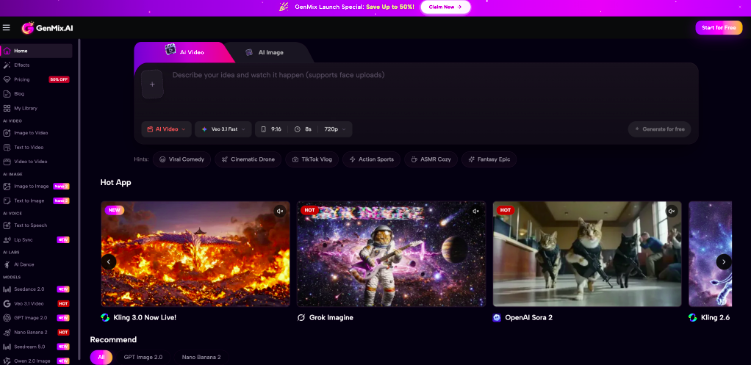
The shift wasn’t dramatic. I didn’t put my camera in a closet. I just added a new tool to the workflow: anything that would have required a second shoot day, a model I couldn’t book, or a setting I didn’t have access to — I’d describe it in a prompt and generate it. The platform I settled on after testing five or six is GenMix, mostly because it gives me access to several different image models in one dashboard instead of asking me to juggle four separate subscriptions.
Here’s the part that took me a few weeks to internalize: AI images aren’t a replacement for a real photographer. They’re a replacement for the compromises I used to make when a real shoot was impossible. I still photograph my clients’ actual products in the real world. I generate everything around them.
Picking the Right Image Model for the Right Shot
The biggest thing nobody told me upfront is that different AI image models have very different strengths. Treating them as interchangeable cost me a lot of bad outputs in the first month. After running side-by-side tests on the same brand briefs, here’s how I actually use them now:
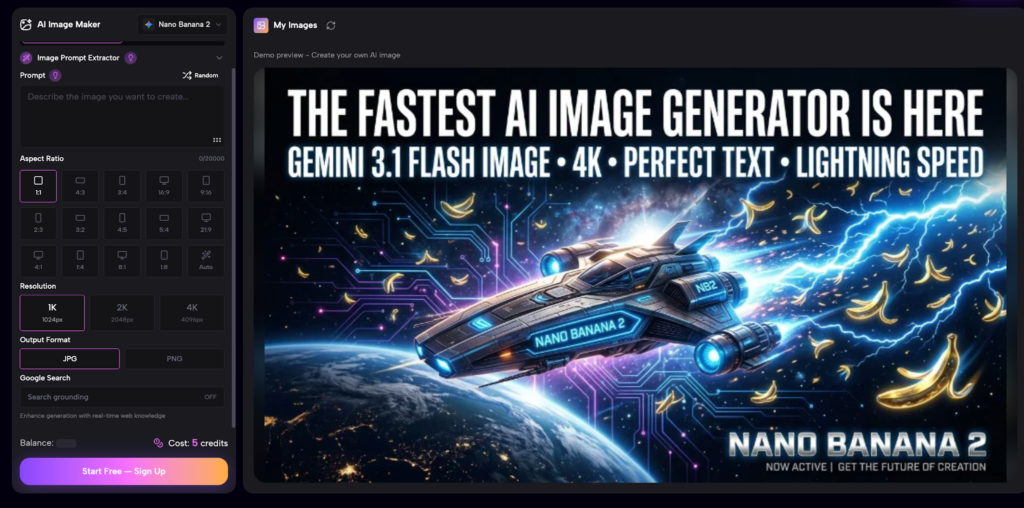
- Nano Banana 2 — my default for product-adjacent visuals where I need the lighting and texture to feel real. I reach for it when the brand is wellness, beauty, or food — anything where the surface of the object is what sells it. It handles soft daylight and matte textures in a way that doesn’t read as “AI-generated.”
- GPT Image 2.0 — what I use when I need typography inside the image, mixed scenes with multiple objects, or anything close to a poster layout. It’s also the one I trust most for editorial-style compositions where I want a specific aesthetic (Wes Anderson palette, Y2K magazine spread, etc.) carried across a series.
- Reference image upload — both models support this and it’s the single biggest unlock. I’ll shoot a real product on a plain white surface, upload it as a reference, and ask the model to drop it into a styled scene. The product stays consistent. The world around it changes.
I’d suggest picking one model first and getting fluent with it before adding a second. Switching too fast just multiplies the prompt language you have to learn.
How I Build a Week of Instagram Visuals in About 90 Minutes
Here’s the actual sequence I run when a client sends me a brief for the week. This used to take me three days. It now takes one focused morning:
- Read the brief twice and pull out the 5-7 distinct “moments” the brand wants to show (morning routine, gift moment, ingredient close-up, etc.).
- Decide which moments need real photography (anything with a person’s face, real product texture detail, or a specific location) and which can be generated.
- Shoot the real moments first — usually 30-45 minutes for a small batch.
- For the generated moments, write each prompt as a one-line scene description: setting, lighting, color palette, mood. Include the reference image of the actual product when relevant.
- Generate 3-4 variations per scene, pick the strongest, and assemble everything in a single Lightroom catalog so the color grading reads consistently across real and generated frames.
The whole batch — call it 18 finished images — usually takes me 90 to 110 minutes. The longest single step is writing the prompts well, which gets faster every week as I build a personal library of phrases that work.
Mistakes I Made Switching to AI Visuals
A few things I wish someone had told me on day one:
- Don’t try to generate everything. Real photography of the actual product, your client’s face, or their physical space still wins. Use AI for the scenes you genuinely couldn’t shoot.
- Prompts that read like a stylist’s brief work better than adjective lists. “Skincare bottle on a pale linen runner, late afternoon window light, warm shadows, shallow depth of field” beats “skincare, bottle, linen, light, warm, soft.”
- Pick aspect ratio and palette before you generate the first image. Mixing 1:1 and 4:5 mid-batch is how I lost an entire afternoon trying to fix something that should have been a one-checkbox decision at the start.
- Save your prompts. A simple notes file of “prompts that produced usable output for client X” is one of the most valuable things I built in my first month, and it compounds.
What This Means for Small Brands Without a Studio
The piece that’s quietly changing is the access gap. The brands I used to turn down — single founders, one-product startups, side-project shops — can now get the same visual quality as bigger competitors without booking a four-figure shoot. I’ve watched a handful of clients double their posting frequency since I switched workflows, simply because the bottleneck stopped being production. The same flexibility is useful for businesses that rely on event photography, such as a photo booth rental new york company, where AI-generated lifestyle visuals can complement real event photos for marketing campaigns.
That doesn’t mean every Instagram brand should fire their photographer. It means the shape of the work is changing. Photographers who lean into AI as a layer in their workflow are taking on more clients with less burnout. The ones still treating it as a threat are losing those clients to the ones who didn’t.
If You’re Curious, Start Here
If your visual production is the bottleneck on your Instagram work, try replacing one batch of supplemental images this month with generated ones. Pick the kind of shot you’ve been declining or padding with stock — a styled scene you can’t easily set up, a “second model” you can’t book, an aesthetic palette your apartment doesn’t have. Generate four or five variations, drop them into your usual edit workflow, and see how they sit alongside your real photography.
That Sunday shoot I mentioned at the top? The follow-up batch of thirty holiday images the brand asked for — I delivered them in a single afternoon, two weeks later, and they ran for the entire season. The brand kept me on retainer. I haven’t driven an hour for a flat-lay since.
Emma Parker is a freelance content creator and brand visual consultant focused on small Instagram-native businesses. She currently uses GenMix as her main AI image tool.