
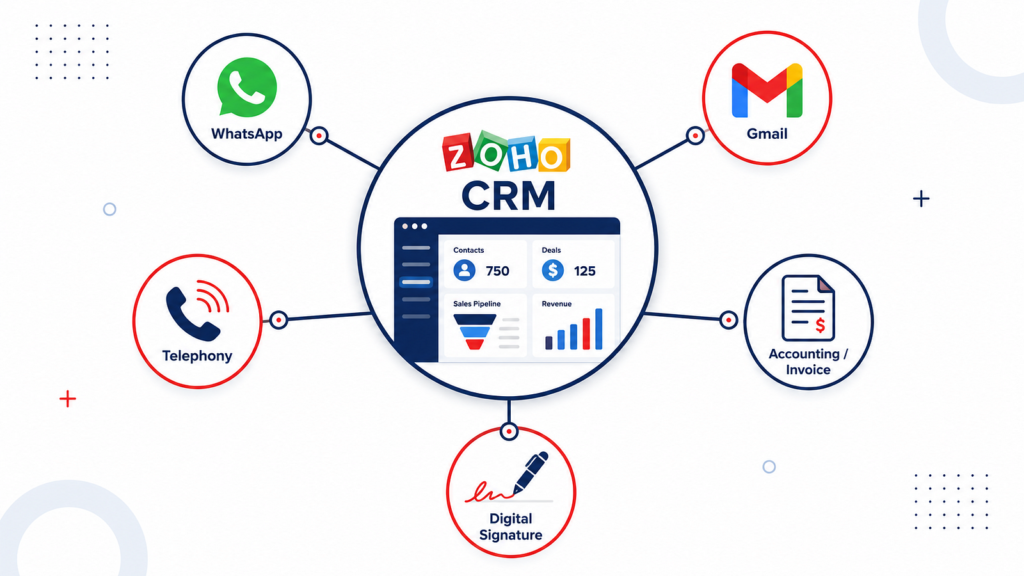
A practical guide to the Zoho CRM integrations that eliminate the busywork slowing your sales team down
Published: July 2026 | 14 min read | Zoho CRM, CRM Automation, Business Productivity, Zoho Integrations
If your sales team spends more time on data entry than actually selling, the problem usually is not the CRM itself. It is that the CRM is running in isolation — disconnected from email, disconnected from WhatsApp, disconnected from your phone system, disconnected from accounting.
Every time someone manually copies a customer’s email into a spreadsheet, dials a number by hand and forgets to log the call, or waits two days for finance to confirm an invoice was sent — that is time you are never getting back.
The good news: Zoho CRM was built with integration as a first-class feature, not an afterthought. Connect the right five tools, and you eliminate the majority of manual work that drains a sales team’s week. Below are the five integrations that deliver the biggest time savings, based on how they are actually used by businesses running Zoho CRM in 2026.
1. WhatsApp Business Integration — Stop Switching Between Apps to Reply to Customers
If your customers or leads are in India, the Middle East, Southeast Asia, or Latin America, there is a very high chance they message you on WhatsApp before they ever pick up the phone or reply to an email. WhatsApp now has over 3 billion monthly active users worldwide, and average open rates on WhatsApp messages run close to 98%, compared to roughly 20% for email.
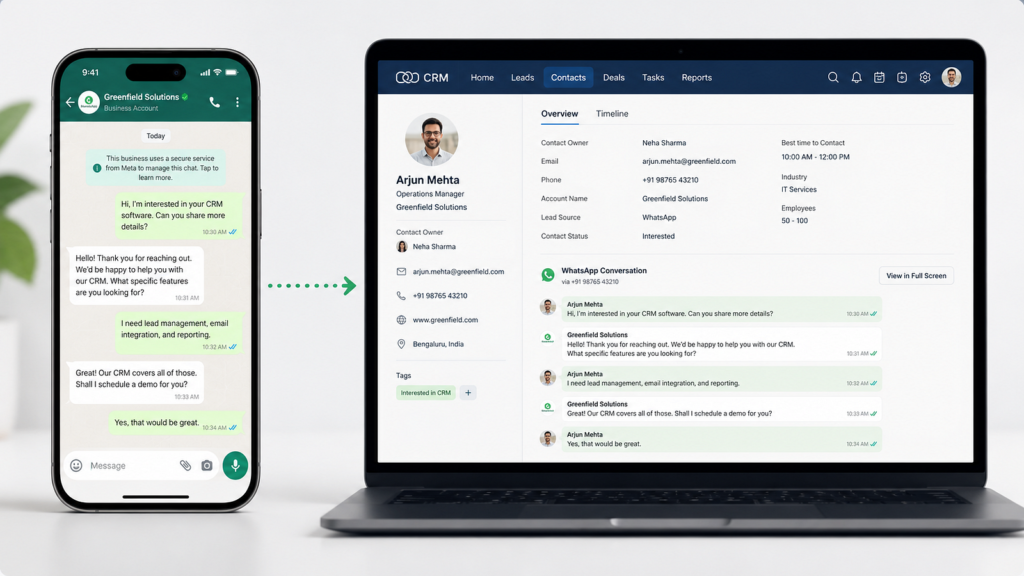
The problem most sales teams face is that WhatsApp conversations happen on someone’s personal phone, completely disconnected from the CRM. A prospect messages your salesperson directly. That conversation never gets logged. If that salesperson goes on leave or leaves the company, the entire conversation history — and the relationship — walks out the door with them.
How the integration saves time:
Zoho CRM offers native WhatsApp Business integration through its Business Messaging channel, letting you view and reply to WhatsApp conversations directly inside CRM contact and lead records. Every message, whether it is an image, a document, or a voice note, gets logged automatically against the right customer record — no more digging through someone’s personal phone to find out what was discussed.
You can also configure automated WhatsApp messages triggered by CRM workflow rules — for example, an automatic “thanks for your enquiry, we’ll call you shortly” message the moment a new lead is created, or an automatic follow-up reminder three days after a quote is sent with no response.
For businesses that want a deeper setup, third-party WhatsApp Business Solution Providers such as WATI, Interakt, and Picky Assist connect through the Zoho Marketplace and add features like bulk personalized messaging, quick-reply templates, and live team inbox views — all while keeping every conversation synced back to the CRM record.
What you need to set this up: A paid, non-free Zoho CRM plan (Enterprise or above for the deepest native integration), a verified WhatsApp Business API account through Meta, and either Zoho’s native Business Messaging channel or a Marketplace connector like WATI or Picky Assist.
Time saved per week: For a team handling 30–50 customer conversations a week, this alone typically saves 3–5 hours by removing the need to manually copy chat details into CRM notes.
2. Zoho Books Integration — Stop Manually Creating Invoices After Every Deal
This is one of the most underrated integrations in the entire Zoho ecosystem, and it is completely native — no third-party connector required.
Here is the everyday problem it solves: a salesperson closes a deal in Zoho CRM. Then someone — often the salesperson themselves, or someone in finance — has to manually open Zoho Books (or Tally, or QuickBooks), re-type the customer’s details, re-enter the line items, apply the right tax rate, and generate an invoice. That is duplicate data entry, and duplicate data entry is where errors creep in.
How the integration saves time:
Once Zoho Books is connected to Zoho CRM (available from the Professional plan of Zoho CRM upward), sales and finance data sync in both directions automatically:
- When a deal moves to “Won” in Zoho CRM, you can configure a workflow that automatically generates the invoice in Zoho Books — with the correct customer, product, and pricing details already filled in.
- Your sales team can see a customer’s outstanding invoices, payment history, and credit status directly inside the CRM record — without needing to log into Zoho Books or ask the finance team.
- Product and pricing catalogs stay in sync between both apps, so quotes generated in CRM always reflect current, accurate pricing from your accounting system.
- Customer and contact details update in both directions — edit a customer’s phone number in CRM, and it automatically updates in Zoho Books, and vice versa.
A word of caution: Zoho CRM has its own native Quotes, Invoices, and Sales Order modules that are separate from Zoho Books. If your team creates invoices inside CRM’s own Finance module, those do not automatically sync with Zoho Books transactions — you need to set up the integration correctly so everyone is creating transactions in the same place. This is exactly the kind of configuration detail a certified Zoho partner sets up correctly the first time, rather than something you discover is broken three months later.
Time saved per week: For a business processing 15–20 invoices a week, this integration alone typically saves 4–6 hours of manual data entry and back-and-forth between sales and finance teams.
3. Google Workspace / Gmail Integration — Stop Manually Logging Every Email
If your team lives in Gmail all day — which most Indian and global businesses do — this integration removes one of the most tedious manual habits in sales: copying email conversations into CRM notes.
How the integration saves time:
Zoho CRM’s Google Workspace integration provides genuine two-way email syncing. Emails sent from within Zoho CRM appear in the sender’s Gmail Sent folder exactly as if they had been sent from Gmail directly. Conversely, relevant emails sent and received in Gmail get automatically logged against the correct CRM contact or lead record — no BCC-ing a special CRM email address required, no manual forwarding.
Beyond email, the integration also enables:
- Single sign-on (SSO) — your team logs into Zoho CRM using their existing Google Workspace credentials, which means one less password to manage and simpler user administration for your IT admin.
- Calendar sync — meetings scheduled in Zoho CRM automatically appear on the salesperson’s Google Calendar, and vice versa, eliminating the classic problem of double-booked meetings or forgotten follow-up calls.
- Contact and Drive integration — attach Google Drive files directly to CRM records without downloading and re-uploading them.
Why this matters more in 2026: With hybrid and remote work now standard for most Indian businesses, sales reps often work across a phone, a laptop, and a tablet throughout the day. Two-way email and calendar sync means the CRM is always accurate regardless of which device or app someone actually used to send that email or book that meeting.
Time saved per week: For a sales rep sending 40–60 emails a week, this integration typically saves 2–3 hours that would otherwise go into manually forwarding or copy-pasting email threads into CRM notes.
4. Telephony Integration (Zoho PhoneBridge) — Stop Dialing Numbers and Logging Calls Manually
For any business where phone calls are a core part of the sales process — real estate, insurance, education consultancies, B2B sales — this integration removes two of the most repetitive tasks in a salesperson’s day: dialing numbers manually, and remembering to write down what happened on every single call.
How the integration works:
Zoho CRM connects to your phone system through a framework called PhoneBridge, which supports more than 130 telephony providers, including Zoho’s own Zoho Voice, as well as popular third-party providers like Twilio, RingCentral, Aircall, Dialpad, Amazon Connect, JustCall, and CloudTalk. Whichever calling system your business already uses, there is very likely a native or Marketplace connector for it.
Once connected, here is what changes on a daily basis:
- Click-to-call: Instead of picking up a phone and manually dialing a number, your salesperson clicks the phone number directly inside the CRM contact record, and the call is placed automatically.
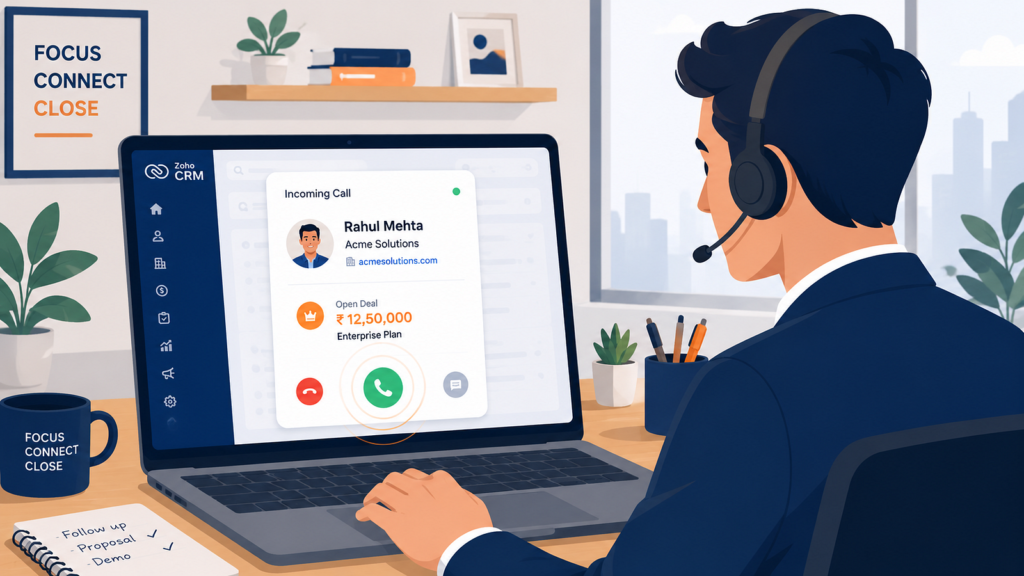
- Screen pop: When an existing customer or lead calls in, their CRM record opens automatically on the agent’s screen before they even say hello — showing deal value, past notes, and recent activity, so the rep sounds informed rather than caught off guard.
- Automatic call logging: Every call — inbound or outbound — is automatically logged to the CRM record with duration, direction, and timestamp, with space for the rep to add a quick outcome note (Interested, Not Interested, Follow-Up Required, and so on).
- Call recording: Most connected providers support call recording, with the recording linked directly from the CRM call log — useful for training, coaching, and dispute resolution.
- Instant lead creation: If a call comes in from an unknown number, the rep can create a brand-new lead directly from the call pop-up window, pre-filled with the caller’s number, instead of hunting for a blank lead form afterward.
Time saved per week: For a team making 50+ calls a week, click-to-call and automatic logging together typically save 3–4 hours that would otherwise go into manual dialing and after-the-fact note-taking that often gets skipped entirely when reps are busy.
5. Zoho Sign — Stop the Print, Sign, Scan, Email Cycle for Contracts
This is the integration most businesses do not think about until they realize how much time gets lost chasing a signed contract or purchase order.
Here is the traditional cycle: a quote or contract is finalized in the CRM, exported as a PDF, emailed to the customer, printed out by the customer, physically signed, scanned back in, and emailed back — assuming nothing gets lost or delayed along the way. This process can take days, and every day a contract sits unsigned is a day the deal is not officially closed.
How the integration saves time:
Zoho Sign integrates natively with Zoho CRM, allowing your team to send quotes, proposals, and contracts for legally binding electronic signature directly from within a CRM deal record — no exporting, no separate tool, no switching tabs.
- Documents can be sent for signature with a single click from inside the Deals module.
- The CRM record automatically updates in real time as the document moves through its lifecycle — sent, viewed, signed, or declined — so your sales team always knows exactly where a deal stands without needing to email and ask “did you get a chance to sign that yet?”
- You can configure a workflow so that once a document is signed, the deal stage in CRM automatically updates — for example, moving straight to “Closed Won” — triggering the next steps like invoice generation in Zoho Books automatically.
- Multiple signers, signing order, and audit trails are all supported, which matters for business contracts requiring approval from more than one person.
Time saved per week: For a business closing 5–10 contracts a week, this integration typically saves 2–4 hours of chasing signatures and manually updating deal stages, while also shortening the actual sales cycle — a signed-same-day contract closes faster than one waiting on a scanner.
Putting It All Together: What a Fully Integrated Week Looks Like
Here is what changes for a typical 10-person sales team once all five integrations are active:
- A WhatsApp enquiry comes in and is automatically logged as a new lead, with an instant auto-reply sent — no manual entry.
- The salesperson clicks to call the lead directly from the CRM record — no dialing, and the call is logged automatically the moment it ends.
- A follow-up email is sent from Gmail and appears in the CRM timeline automatically — no BCC, no forwarding.
- The deal closes. A contract is sent for e-signature directly from the deal record. The moment it is signed, the deal stage updates automatically.
- The signed deal automatically triggers invoice creation in Zoho Books — with correct pricing, correct customer details, zero manual re-entry.
None of these steps required a single spreadsheet, a single copy-paste, or a single “let me check with finance and get back to you.” That is the real value of integration — not any single feature, but the compounding effect of removing friction at every handoff point in the sales process.
Frequently Asked Questions
Q: Do I need Zoho One to get all five of these integrations, or do they work with standalone Zoho CRM?
Most of these integrations work with standalone Zoho CRM on the right plan tier. WhatsApp Business Messaging and Zoho Books integration typically require CRM Professional or Enterprise. Telephony integration through PhoneBridge is available across most paid plans, though advanced features vary by provider. Zoho Sign integration works with a separate Zoho Sign subscription connected to your CRM. If you are already using three or more Zoho apps together, Zoho One is usually the more cost-effective way to access all of them under a single subscription.
Q: Can I set these up myself, or do I need a Zoho partner?
The basic connection for each integration can typically be enabled by an admin within Zoho CRM settings in under 30 minutes. However, configuring the workflows correctly — for example, making sure invoices only generate at the right deal stage, or making sure WhatsApp auto-replies do not fire at the wrong moment — requires careful setup. Getting this configuration wrong the first time is a common reason businesses end up with duplicate records or inconsistent data down the line.
Q: Which of these five integrations should I set up first?
If your team spends the most time on outbound or inbound calls, start with the telephony integration. If most of your customer communication happens on WhatsApp, start there instead. If your biggest bottleneck is the handoff between sales closing a deal and finance generating an invoice, prioritize the Zoho Books integration. Pick the integration that removes friction from your single most repeated daily task first.
Q: Are these integrations included in the price of Zoho CRM, or do they cost extra?
The core native integrations — Google Workspace, Zoho Books, and basic telephony through PhoneBridge — are included in your existing Zoho CRM subscription at Professional tier and above, with no extra licensing fee for the integration itself. However, some components do carry their own separate costs: WhatsApp Business API access is billed by Meta per conversation, third-party telephony providers like RingCentral or Aircall have their own subscription costs, and Zoho Sign requires its own subscription unless included as part of Zoho One.
Final Thoughts
The businesses getting the most value out of Zoho CRM in 2026 are not the ones with the most customizations or the most complex automation rules. They are the ones that have removed the small, repetitive manual steps that quietly eat hours out of every single week.
Start with the integration that matches your biggest daily bottleneck, get it configured properly, and then move on to the next. Within a month, most teams find they have gotten back several hours a week — time that goes straight back into actually selling.
If you want help setting these integrations up correctly the first time — avoiding the common configuration mistakes that lead to duplicate records or broken workflows — our team at Techgeum handles Zoho CRM implementation and integration setup for businesses across Kerala and India.
Article Submitted by the Techgeum team — techgeum.com | Certified Zoho Partner
Tags: Zoho CRM, Zoho Integrations, CRM Automation, WhatsApp CRM, Zoho Books, Zoho Sign, PhoneBridge, Business Productivity