
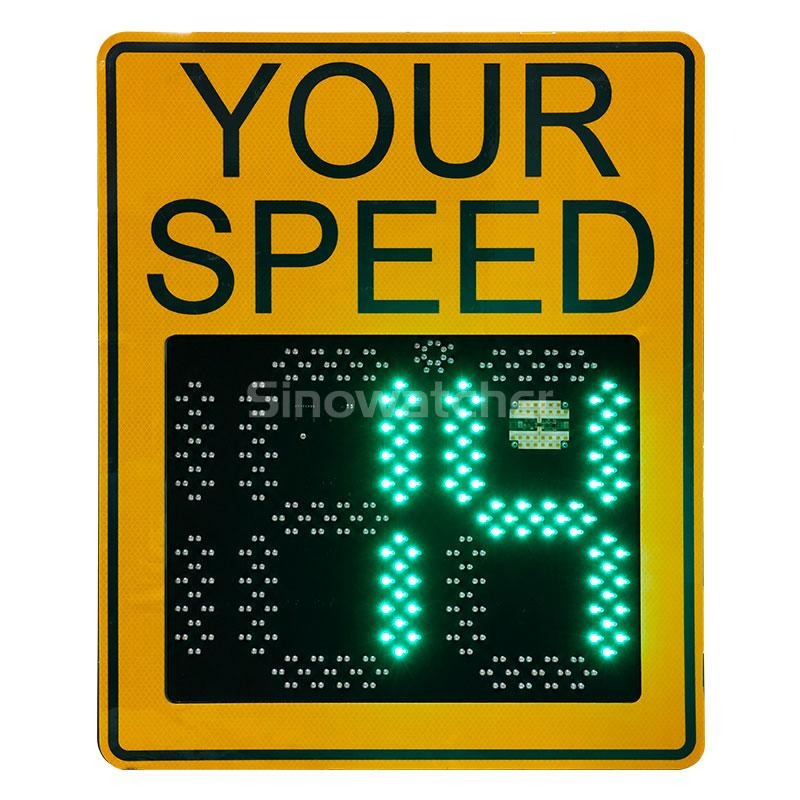
Start With the Site, Not the Sign
The most common reason a speed feedback installation underperforms has nothing to do with the hardware — it was put in the wrong place. A speed feedback sign only changes behaviour where drivers are actually speeding, so site selection comes first. The proven locations are village and town entries, the approach to a tight bend, school zones, and long downhill stretches where speed creeps up unnoticed. Before committing, watch traffic at the candidate spot. If most drivers already hold the limit, the display has nothing to say — spend the budget one street over, where the commuter run actually happens.
Then check what the driver will see. The digits need to be legible from 150 metres, so walk the sight line for blockers: parked cars, bus shelters, hedges, bends. Sun glare is the quiet killer — a display facing the low evening sun turns into a grey rectangle at exactly the wrong time of day. Angle the face away from direct low sun where the layout allows, and give the sign enough lead distance before the hazard it warns about.
Mounting Height, Angle, and Hardware
Most speed feedback signs mount 2.5 to 3 metres above the road — high enough that a parked van does not hide it, low enough to read without lifting your eyes. A slight downward tilt keeps the digits square in the sight line. Pole bands suit existing lamp columns; a dedicated post needs concrete and a day to cure. Either way, use tamper-resistant fixings — a sign removable in five minutes with a spanner will be removed, usually at 2 a.m.
Check the pole’s diameter and condition before ordering hardware — older columns can be tapered, rusted, or already loaded with kit. The speed feedback cabinet holds the radar, controller, and battery; face its door away from the carriageway. Where vandalism is a known problem, specify a polycarbonate face and mount a little higher. Out of easy reach beats any impact-resistance claim on a spec sheet.
Power: Mains, Solar, or the Battery Question
Where mains power is close and cheap, take it. But trenching cable across a verge can easily exceed the price of the hardware, so most new speed feedback installations ship solar-powered as standard. A 60–100 W panel with a properly sized battery bank carries the unit through several sunless days — provided the panel sees the sun. Mount it above the sign, tilted toward the equator, clear of tree shade. The classic failure is a panel installed in June under a canopy that only exists in June.
Battery choice sets the maintenance calendar: sealed lead-acid is cheap but wants replacing every three to four years; lithium lasts longer yet costs more. Whatever the chemistry, a quality speed feedback sign ships with a charge controller guarding against over-discharge — confirm it is in the spec, because a flat battery in February is how signs go dark and stay dark.
Calibration: Thresholds, Flashing, and Changing Limits
Out of the box, program the speed limit — and think it through. The basic behaviour: display the approaching speed, flash when it is over the limit. Most authorities add a blanking threshold well above the limit, where the display goes dark instead of showing a number, so the minority who treat the sign as a high-score machine cannot race it. Decide each of these deliberately:
- The posted limit the display enforces — and any scheduled variations for school hours.
- The flash threshold: usually a small margin above the limit.
- The blanking threshold: the speed above which numbers stop showing.
- Any alternating messages, such as SLOW DOWN, and how long each shows.
Calibrate the radar against a known reference before sign-off — GPS-verified passes are the honest test. Mounting angle and nearby reflections can skew readings, and a sign that flashes at law-abiding drivers teaches the whole street to ignore it. Recheck annually; a speed feedback display that cries wolf loses authority faster than any hardware failure. Log the settings where the next technician can find them — firmware updates and battery swaps love resetting configurations.
Cleaning and Upkeep: What Fails in Year Two
Year one, everything works. Year two is when neglected speed feedback units tell on their owners. Dust and road film coat the display face and solar panel, cutting brightness and charging in one slow decline — a twice-yearly wipe with a cloth and water prevents most of it. Check the small radar window; one mud splash blinds it. Check the fixings: vibration loosens bands and bolts, and a sign drifted five degrees off-axis reads traffic it was never meant to catch.
Plan battery replacement before the battery plans it for you. Mark the install date inside the cabinet door and schedule replacement for year three (lead-acid) or five-plus (lithium) — not the week the sign dies in midwinter. Keep a simple log: install date, swaps, cleaning, vandalism. A speed feedback programme across a dozen sites lives or dies on records, because nobody remembers which unit got its battery in 2024.
The First 30 Days: Proving It Works
The sign’s data logger is the cheapest traffic study you will ever run. After a month, compare the 85th-percentile speed before and after, plus the share of drivers exceeding the limit by 10 km/h or more. Typical: a 5–10 km/h drop at the sign’s location, strongest in the first weeks. Some fades as drivers habituate — normal, not failure. A lasting 3–5 km/h still moves crash risk meaningfully; speed and stopping distance are not linear friends.
If the numbers disappoint, check the site before blaming hardware: sight line blocked? Limit signposted consistently? Sign drifted off-axis? One underused trick is rotation — moving a speed feedback sign between two or three sites every few months defeats habituation and spreads the benefit. Reviewed like anything else on the payroll, the box on the pole earns its keep for a decade.