
========================================================================
For decades, game development was a fortress guarded by a steep learning curve. If you wanted to build a video game, you generally needed to learn complex programming languages like C++ or C#, master intimidating engines like Unity or Unreal, and understand advanced mathematics. It was a rigorous path that left many creative storytellers and hobbyists on the sidelines.
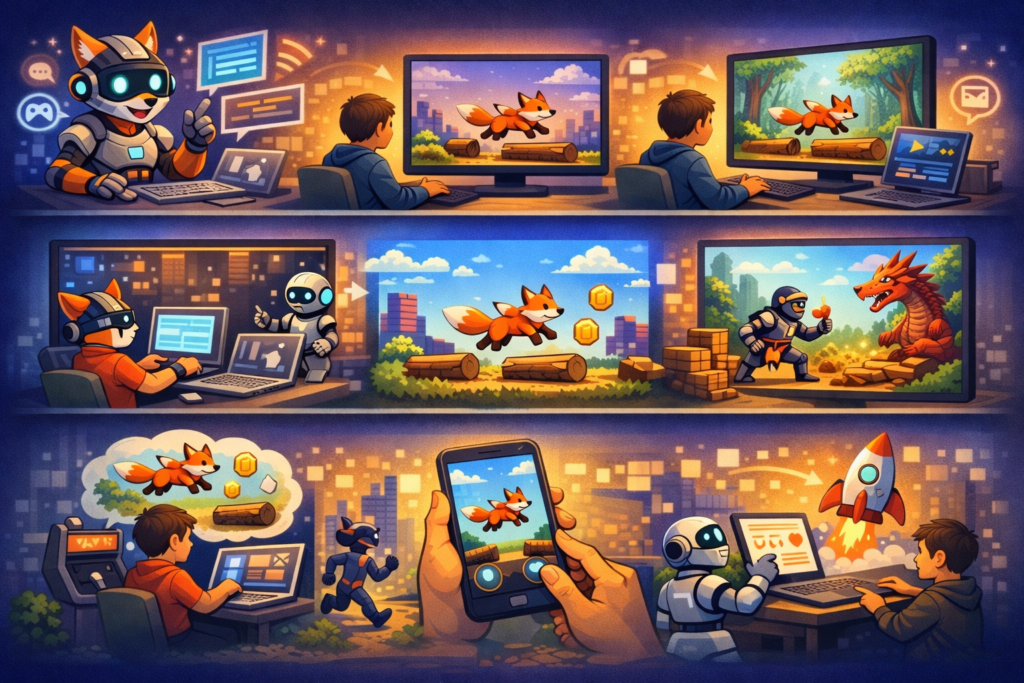
A new wave of AI game generator tools is coming, allowing anyone to build functional, playable games using nothing but natural language. If you can type a sentence, you can build a game. This shift from “coding” to “prompting” is democratizing game creation, turning it into a playground for rapid prototyping and interactive storytelling.
Here is how you can use text-to-game AI to bring your ideas to life without writing a single line of code.
Understanding Prompt-Based Game Creation
Before jumping into the creation process, it helps to understand what is happening under the hood. When you type a prompt into an AI game builder, you aren’t just chatting with a bot. You are giving instructions to a sophisticated engine that translates your English words into game logic, visuals, and mechanics.
The AI interprets your request, identifying the genre (e.g., platformer), the assets (e.g., a robot character), and the rules (e.g., jump to avoid spikes) and instantly compiles this into code (usually HTML5 or JavaScript) that runs directly in your browser.
These tools are perfect for creating:
- 2D Platformers: Classic jump-and-run adventures.
- Top-Down Shooters: Arcade-style action games.
- Puzzle Games: Logic-based challenges.
- Simulation Games: For example, you can create simple simulation games like this Valentine’s Cake Designer, where the mechanics focus on decoration and choice rather than combat.
The output is usually a prototype or a “micro-game” that you can play immediately. While you won’t be building a massive open-world RPG on your first try, you can build engaging, fun experiences in minutes.
How to Create Your First Playable Game Online
Ready to make games without coding? Follow this iterative process to go from a blank screen to a playable link.
1. Choose a Platform
Start by finding a browser-based no-code game builder. There are several AI-powered platforms available today that operate on a freemium model. Look for one that specializes in “text-to-game” generation.
2. Start with a Simple Prompt
The biggest mistake beginners make is asking for everything at once. AI works best when you give it a clear foundation. Start with the core mechanic and genre.
Try prompts like these:
- “Create a 2D side-scrolling platformer where a ninja jumps over lava pits.”
- “A top-down space shooter where a ship defends earth from asteroids.”
- “A clicker game where you collect coins to buy upgrades.”
See how prompt-based generation can handle survival scenarios in games like 99 Nights in the Bunker, which uses simple mechanics to tell a tense story.
3. Generate and Play
Once you hit enter, the AI will generate the game. Play it immediately. Does the character move too slow? Is the jump too low? Are the enemies too hard? This immediate feedback loop is the most critical part of the process.
4. Iterate with Conversational Editing
This is where the magic happens. You don’t need to hunt through lines of code to change the jump height. You just tell the AI what to change. This is called “conversational editing.”
Follow-up prompt examples:
- “Make the ninja jump 50% higher.”
- “Change the background to a spooky forest.”
- “Add a sound effect when the player collects a coin.”
- “Make the asteroids get faster over time.”
5. Add Polish
Once the game feels fun, focus on the aesthetics. You can ask the AI to change the art style (e.g., “Change the art style to 8-bit pixel art”) or add UI elements like a score counter, a ‘Game Over’ screen, or background music.
6. Share Your Creation
Most text-to-game AI platforms allow you to publish your game with a single click. You will get a unique URL that you can share with friends, allowing them to play your game on their phone or computer instantly.
Crafting Effective Prompts: Tips and Best Practices
Talking to an AI is a skill. To get the best results from an AI game generator, you need to be specific. Vague inputs lead to generic outputs.
The “Perfect Prompt” Structure
A good prompt usually follows this formula:
[Genre] + [Main Character] + [Goal] + [Obstacle] + [Visual Style]
Examples:
- Bad Prompt: “Make a fun car game.”
- Good Prompt: “Create a top-down racing game where a red sports car must avoid oil spills and collect gas cans on a desert track. Use a retro pixel art style.”
Be Specific with Mechanics
If you want specific controls, ask for them.
- “Use the arrow keys to move and the spacebar to shoot.”
- “Make the game endless.”
- “The player has 3 lives.”
Common Challenges and How to Overcome Them
While this technology is exciting, it is still in its early stages. You will encounter limitations, but most can be overcome with a bit of creativity.
Inconsistency and “Hallucinations”
Sometimes the AI will add things you didn’t ask for, or the physics might feel “floaty.”
- The Fix: Be persistent. If the AI breaks the movement, tell it specifically: “The player is stuck in the floor. Reset the collision physics.”
Complexity Limits
Current AI tools struggle with complex, AAA-level physics or deep multiplayer networking.
- The Fix: Scope your expectations. Focus on arcade-style loops, high-score chasers, and narrative experiences. Simple games often make for the most addictive prototypes.
Generic Art
If you don’t specify a style, the AI defaults to basic assets.
- The Fix: Use descriptive art prompts. “Cyberpunk neon style,” “Hand-drawn pencil sketch style,” or “Watercolor aesthetic” can drastically change the vibe of your game.
Bugs
Yes, AI writes buggy code sometimes.
- The Fix: Use the prompt box as your debugger. “The enemy doesn’t die when I shoot it” is a perfectly valid prompt that instructs the AI to fix the damage logic.
What You Can Learn and Next Steps
Using prompt-based game creation isn’t just a fun trick; it’s a legitimate educational tool. By iterating on your games, you are learning the fundamentals of game design:
- Logic Loops: Understanding win/loss conditions.
- Balancing: Tweaking speed and difficulty to keep the player engaged.
- Asset Management: Understanding how visuals and sound interact with gameplay.
You are acting as the Creative Director, while the AI acts as your Lead Programmer.
The best way to learn is to start building. Challenge yourself to create a portfolio of five different mini-games in five days. Try a platformer on Monday, a puzzle game on Tuesday, and a survival game on Wednesday. With text-to-game AI, the only limit is your imagination—and your ability to describe it.
