
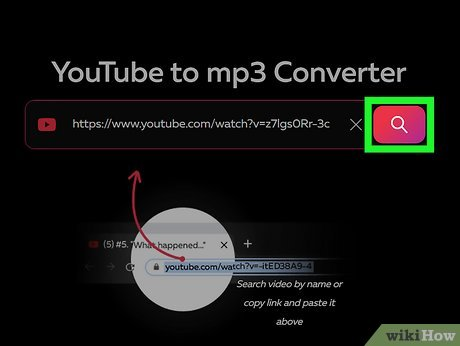
The popularity of YouTube to Mp3 tools continues to grow, especially among users who want offline access to music, podcasts, lectures, and audio content. For beginners, the process often seems simple: copy a video link, paste it into a converter, and download the audio file. However, many first-time users unknowingly make mistakes that affect audio quality, device safety, legality, or overall experience.
Understanding these common pitfalls can save time, prevent frustration, and help users make smarter choices when converting videos into audio files. Below are the nine most common mistakes beginners make with YouTube to Mp3 conversion, explained in detail.
1. Ignoring Audio Quality Settings
One of the biggest mistakes beginners make is not paying attention to audio quality options. Many converters default to lower bitrates to save bandwidth and speed up downloads. While this might seem convenient, it often results in flat, distorted, or muffled audio.
Beginners may assume that all Mp3 files sound the same, but bitrate plays a major role in sound clarity. Choosing a low-quality setting can ruin music listening experiences, especially on good headphones or speakers. Failing to understand the difference between bitrates leads many users to download files they later regret.
2. Using Unreliable or Unsafe Conversion Tools
Another common mistake is choosing the first converter that appears in search results without evaluating its reliability. Some YouTube to Mp3 platforms are poorly maintained or intentionally designed to push intrusive ads, pop-ups, or misleading buttons.
Beginners may accidentally download unwanted files, browser extensions, or malicious software. This usually happens because they click on fake download buttons or ignore warning signs like excessive redirects. Over time, this can slow down devices, compromise privacy, or cause data loss.
3. Downloading Copyrighted Content Without Awareness
Many beginners assume that if content is freely available on YouTube, it is automatically legal to convert and download. This misunderstanding can lead to unintentional copyright violations.
While some content is licensed for free use, much of YouTube’s material is protected. Beginners often fail to check whether a video is allowed for download or personal use. Ignoring copyright rules can result in account issues, legal warnings, or restricted access in certain regions.
4. Overlooking File Naming and Organization
After converting multiple videos, beginners often end up with a cluttered folder full of poorly named Mp3 files. Default filenames may include random numbers, video IDs, or incomplete titles, making it difficult to find specific tracks later.
Failing to rename and organize files properly can create confusion, especially when downloading playlists or long lecture series. Over time, this mistake leads to wasted time and frustration when searching for specific audio files.
5. Assuming All Videos Convert Equally Well
Not all YouTube videos are ideal for audio conversion, yet beginners often assume the results will always be perfect. Videos with heavy background noise, overlapping dialogue, or low original audio quality will produce poor Mp3 files regardless of the converter used.
Beginners frequently blame the tool rather than the source video. This misunderstanding can lead to repeated attempts, unnecessary troubleshooting, or switching between converters without improving results.
6. Skipping Format Compatibility Checks
Some beginners focus only on Mp3 downloads without considering whether the format suits their device or audio player. While Mp3 is widely supported, different devices handle metadata, bitrate limits, and encoding standards differently.
Failing to check compatibility can result in files that do not play correctly, lack album art, or show missing information. This is especially frustrating for users transferring files to older devices or car audio systems.
7. Clicking Every Pop-Up or Redirect
Beginners often click on every prompt they see, assuming it is part of the conversion process. Many YouTube to Mp3 platforms rely on advertising to operate, which means pop-ups and redirects are common.
Without experience, users may click on misleading alerts, fake error messages, or unnecessary permission requests. This can lead to unwanted subscriptions, browser notifications, or even security risks. Learning to identify the real download button is crucial for a smooth experience.
8. Forgetting to Scan Downloaded Files
Another mistake beginners make is trusting downloaded files without checking them. Even when using popular converters, files can sometimes include bundled content or trigger false alerts.
Skipping basic security checks increases the risk of storing unsafe files on personal devices. Beginners often overlook this step because they are eager to access the audio quickly. Over time, this habit can compromise device performance and security.
9. Expecting One Tool to Do Everything Perfectly
Many beginners stick to a single YouTube to Mp3 tool and expect it to handle every situation flawlessly. When the tool fails with certain videos, playlists, or longer content, they may assume the process itself is unreliable.
In reality, different tools handle conversions differently based on video length, resolution, or encoding. Beginners who refuse to explore alternatives often limit their own experience and miss out on better results elsewhere.
Final Thoughts
Using YouTube to Mp3 tools can be incredibly convenient when done correctly, but beginners often make avoidable mistakes that affect quality, safety, and usability. From ignoring audio settings to misunderstanding legal boundaries, these errors usually stem from lack of awareness rather than bad intentions.
By learning from these common mistakes, beginners can improve their conversion experience significantly. Paying attention to quality, choosing reliable tools, staying informed about copyright, and practicing safe downloading habits all contribute to better results. With a little patience and knowledge, YouTube to Mp3 conversion can become a smooth and effective way to enjoy audio content offline.